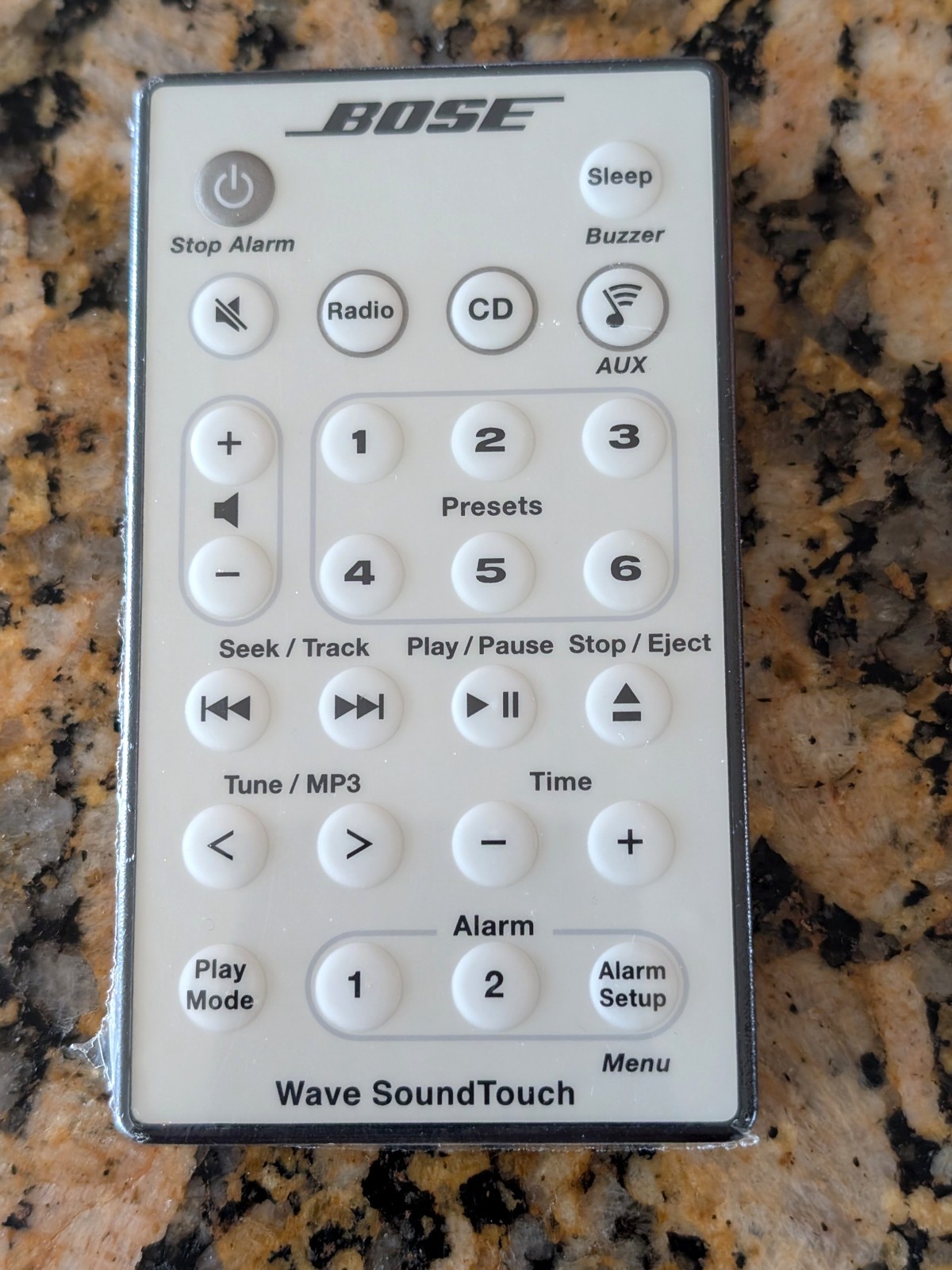
Bose Wireless Universal Remote
Control For Soundtouch 300 Soundbar 421650
USD $62.99
Condition : Used
Free Shipping

Notify me when the price drops
We will email you if we find a lower price on this product!
- STORE HOME
- new arrival
- CONTACT US
- ABOUT US
- ADD TO FAVS
- FEEDBACK
- Store Home
- iPhone iPad Accessory
- Cellphone Parts
- Laptop Fan
- Laptop Keyboard
- Laptop Hinges/Cable/Inverter
- Laptop Hard Drive Cover Caddy
- Laptop Parts - Others
- Computer Accessory
- TV/Monitor/Projector Parts
- Server Parts & HDD Caddy/Tray
- Philips Norelco & Sonicare
- Bluetooth Headset
- Laptop Power Jack Board
- Allen Bradley
- Remote Control
- Video Games Accessories
- Omron
- Smart Bracelets
- Replacement Band for Fitbit
- Adapter
- Hearing Assistance
- Business & Industrial
- Sporting Goods
- Consumer Electronics
- Other
OUR OPTIONS Bose Soundtouch 300 Soundbar Universal Wireless Remote Control 421650 ITEM DESCRIPTION
Instruction manual for the Bose SoundTouch 300 remote :
1.Press and hold the "Settings" button for three seconds while the indicator next to it is steady on.
2.Press the red power button on the digital TV remote control, then the light flashes.
3.Point the TV remote control at the digital TV remote control (launch window alignment), press and hold the red power button of the TV remote control until the indicator on the digital TV remote control is steady on.
4.Click the "Set" button of the digital TV remote control, and the indicator light is off. This completes the setting of a key. Repeat steps 1-4 for other keys. After the operation, you can use a remote control to turn on the TV.
Note: It is best to turn off the power of the TV before operation.
We have tested all the products, and to ensurethat can be normal use.
Please check pictures &graphics card type more details.
You'll receive:
1xRemote Control
SKU# CP.QM.626-1 Shipping Weight:7oz (net:5.92oz)
3-Padded FR Envelope 5-Regional Box A
PAYMENT SHIPPING RETURNS ABOUT US STORE HOME ALL ITEMS CONTACT US ADD TO FAVS FEEDBACK Copyright © thinkpan. All rights reserved






 .
